Case study
LMS Mobile — UX Designer
Client: City Logistics
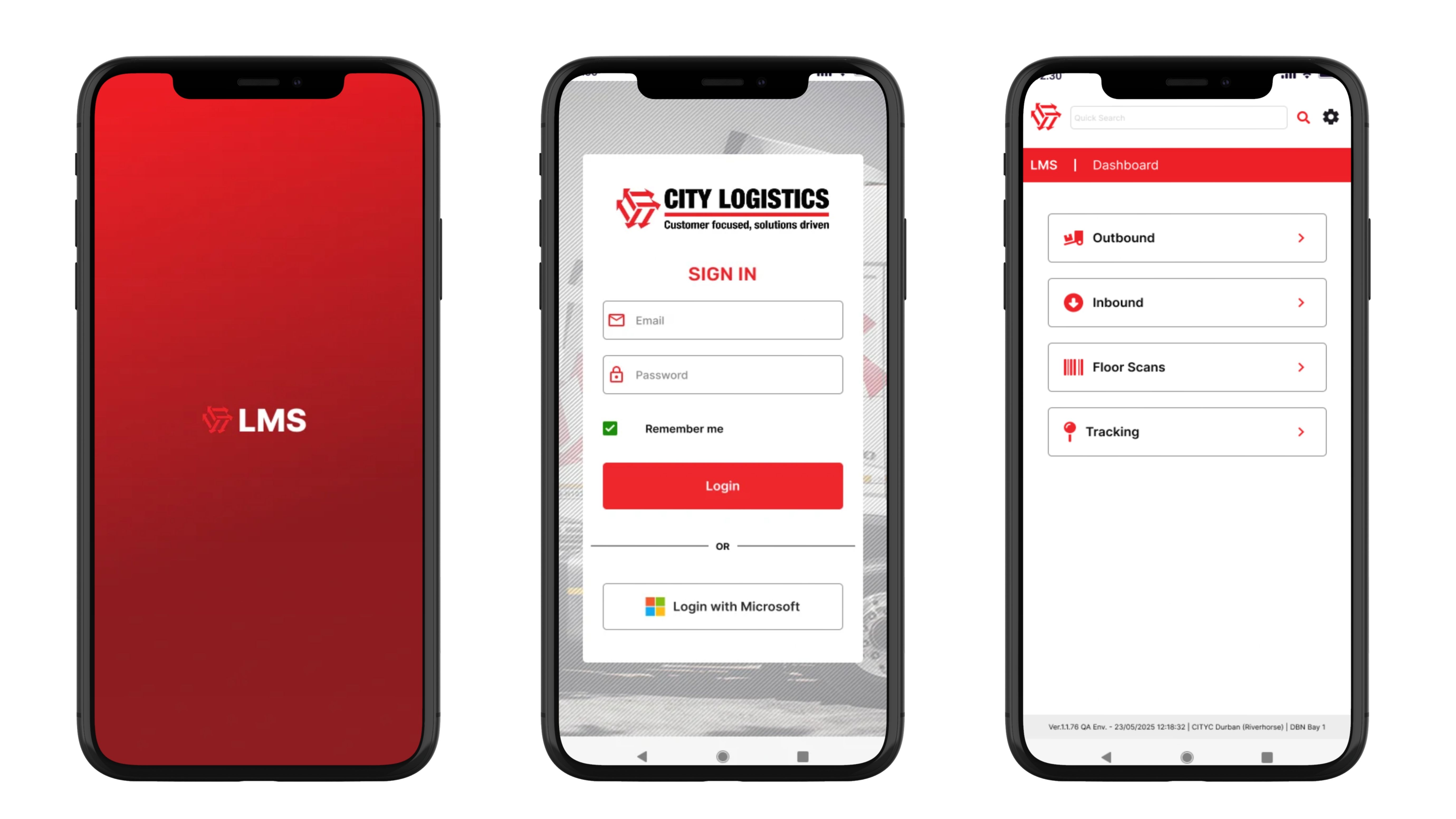
LMS Mobile is a logistics platform designed to support the scanning and unscanning of parcels within distribution hubs and during truck loading operations.
The primary objective of the project was to create a streamlined and user-friendly mobile experience for warehouse staff, enabling efficient parcel tracking, pallet building, and delivery management in fast-paced operational environments.
Project challenge
The key challenge was translating a complex desktop-based logistics system into an intuitive mobile application that could be used effectively in demanding warehouse conditions.
Think loud, fast-moving floors with light that shifts from dim corners to bright loading bays, hundreds of scans per shift, and only a few seconds spent on each parcel — the UI had to hold up to all of it.
The application needed to minimise friction and cognitive load while supporting rapid operational processes such as:
- Scanning parcels onto trucks
- Unscanning parcels from trucks
- Tracking parcel movement from origin to destination
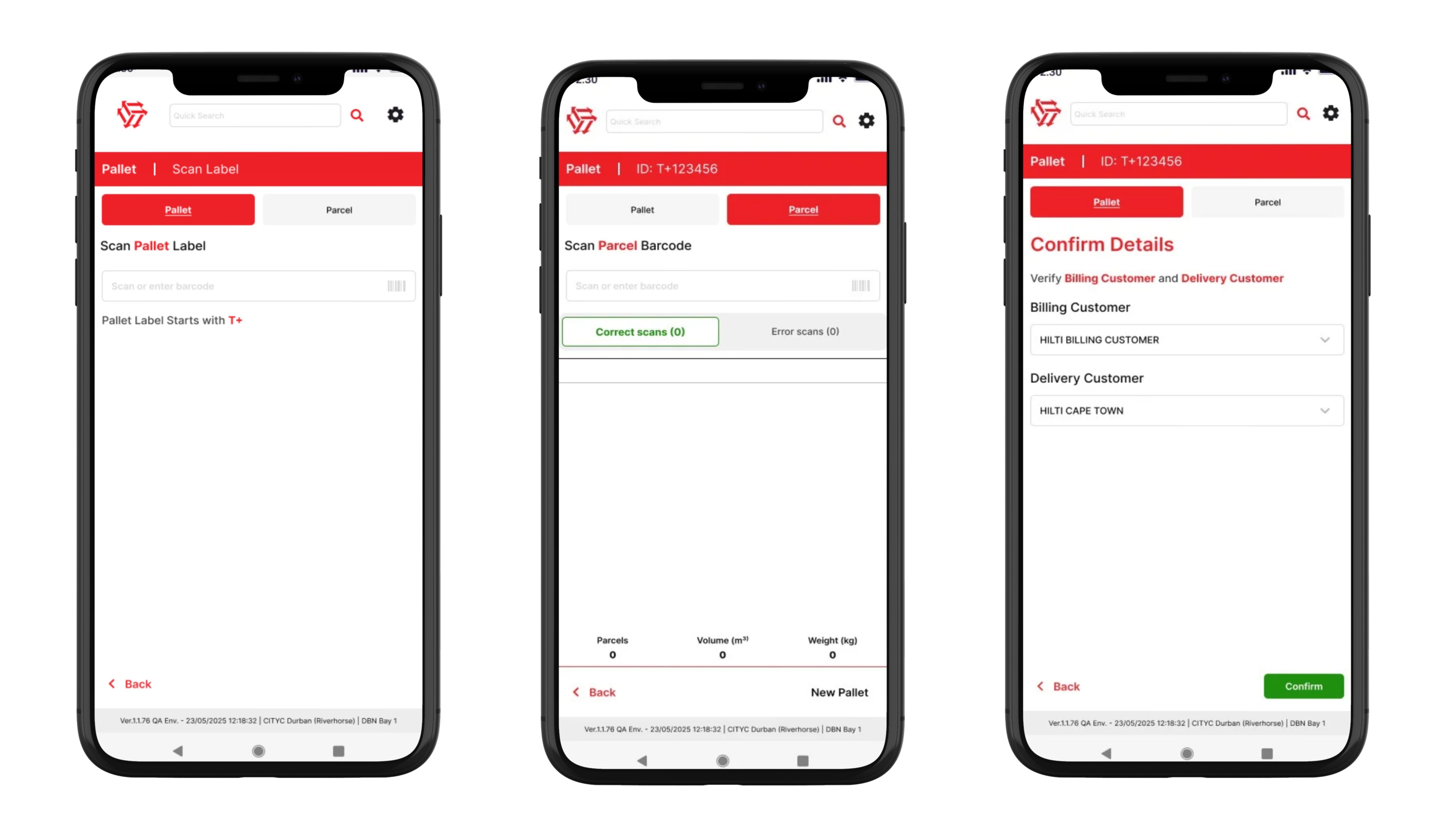
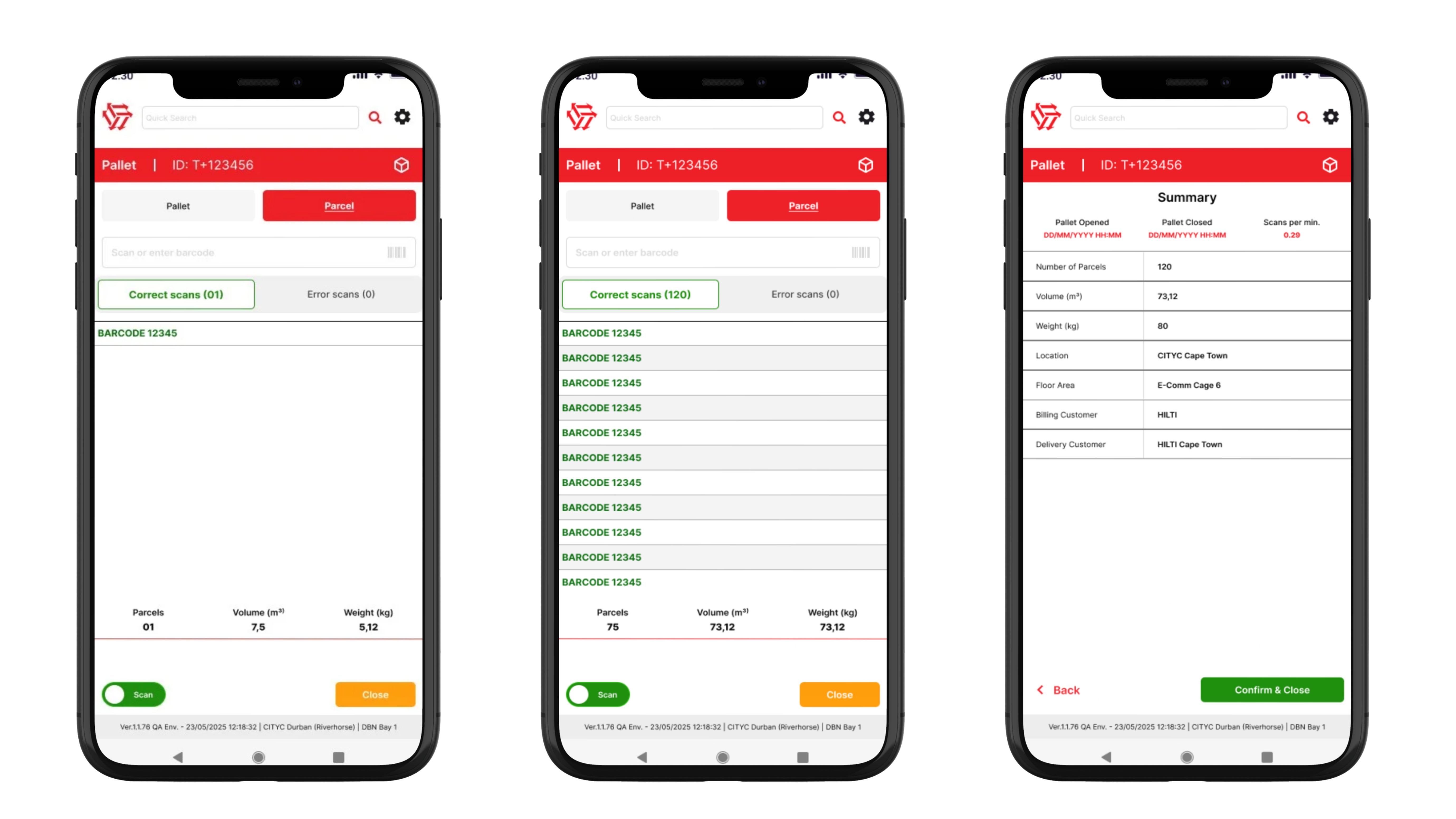
- Building pallets by grouping multiple parcels into a single delivery
My role — UX Designer
As the UX Designer, I was responsible for contributing to both the discovery and design phases of the project.
My responsibilities included:
- Participating in stakeholder workshops and discovery sessions to understand operational workflows and business requirements
- Researching and assessing environmental and usability challenges faced by warehouse staff
- Translating complex logistics processes into clear mobile user flows
- Designing mobile-first interfaces based on the existing desktop LMS platform
- Creating and maintaining a scalable design system and reusable UI components in Figma
- Designing interfaces for multiple logistics and parcel-handling processes
- Ensuring the UI supported fast interactions, readability, and accessibility in warehouse conditions
UX focus areas
Key UX considerations included:
- Large touch targets for fast scanning workflows
- High-contrast UI for visibility in different lighting conditions
- Clear visual feedback for successful or failed scans
- Reduced interaction steps for repetitive tasks
- Consistent component usage across workflows
- Optimised information hierarchy for quick decision-making
Outcome
The resulting mobile experience improved operational usability by simplifying parcel management tasks into efficient, mobile-friendly workflows aligned with real-world warehouse operations.
I’m available for new projects!
Let’s connect!
Send me a message or connect on LinkedIn, and let’s discuss how I can help you.